
PDF Tool
PDF Tool
Offline, ad-free PDF utilities for mobile and web.
Role
Flutter Developer
PlatformsAndroid, iOS, Web, macOS
App Store
Play Store
Website
Project Overview
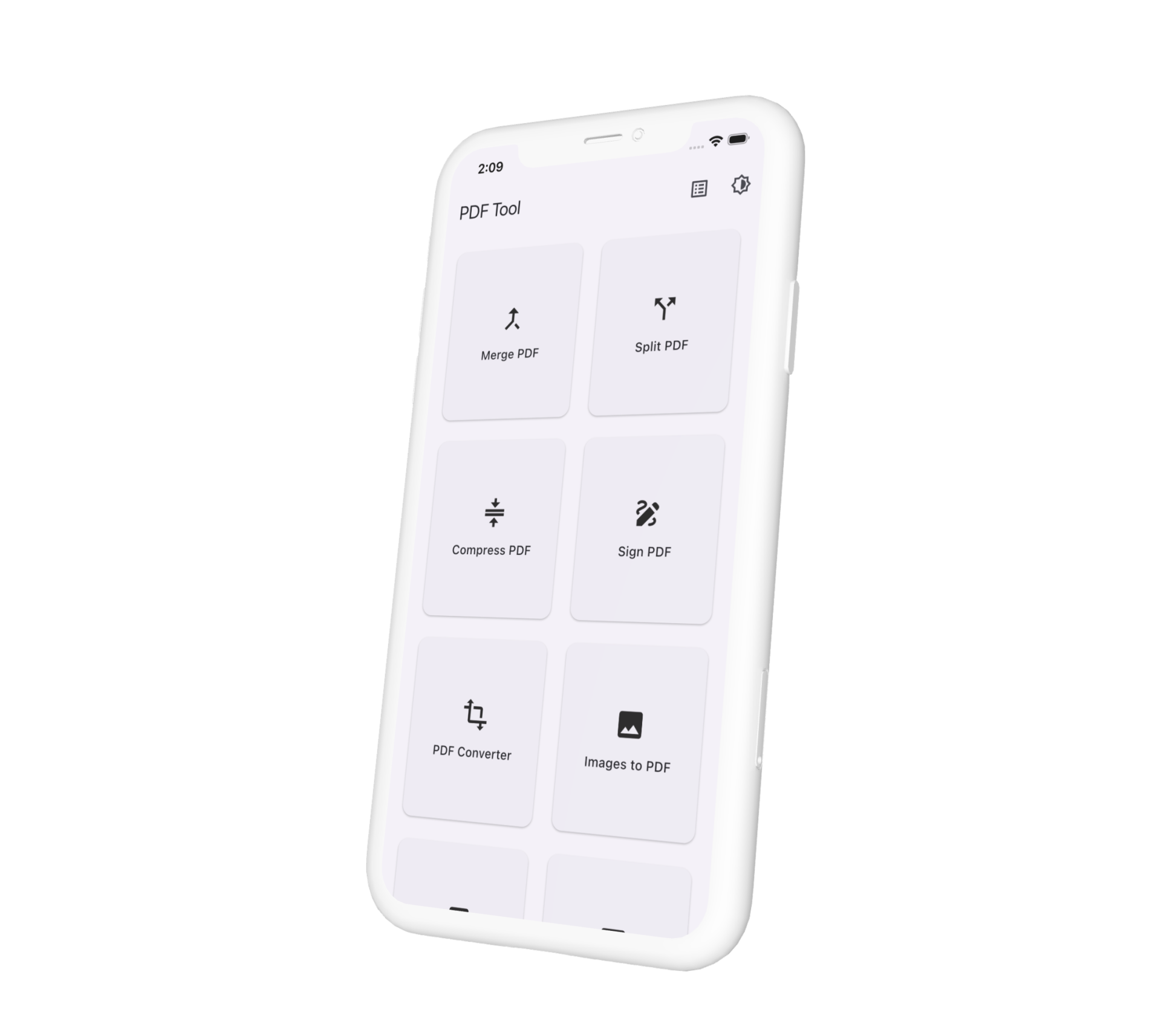
PDF Tool is a cross-platform Flutter app that bundles 20+ PDF utilities into one offline, privacy-first experience. Users can merge, split, compress, convert, sign, watermark, protect, and edit PDFs entirely on-device — with no signup, no ads, no analytics, and no watermarks on exports.
Heavy operations run as background tasks with a persistent task log, so users can monitor progress, save output PDFs, share results, and review operation history across sessions.
Tools Included
Merge PDF
Split PDF
Compress PDF
Sign PDF
PDF Converter
Images to PDF
PDF to Images
Extract PDF Images
Protect PDF
Unlock PDF
Rotate PDF Pages
Remove PDF Pages
Extract PDF Pages
Rearrange PDF Pages
Webpage to PDF
PDF OCR
Add Watermark
Add Page Numbers
PDF Overlay
Compare PDFs
Web Optimize PDF
Redact PDF
Create PDF
My Responsibilities
- Feature-first architecture: Clean Architecture layout with dedicated folders per tool under
lib/features/*, shared core utilities, and a reference merge-PDF domain/data/presentation stack. - Background task system: Centralized
ToolTaskRunnerfor CPU-intensive PDF work, integrated withTaskLogCubitfor progress, success/failure logging, save/share flows, and exportable task history. - PDF services layer: On-device merge, split, compress, overlay, compare, watermark, redact, sign, page-numbering, image export, text extraction, OCR, and password protect/unlock using
pdf,pdf_combiner,syncfusion_flutter_pdf, and custom services. - Cross-platform I/O: Platform-aware file picking, saving (
PlatformSave), web downloads, and conditionaldart:iovs web implementations for file bytes, image folders, and previews. - State management:
flutter_blocfor UI state andhydrated_blocfor persisted theme and task log across app restarts. - Responsive UI: Home grid of tool cards, consistent
ToolScaffoldlayouts, Material 3 theming with light/dark/system modes, and task output preview. - Privacy by design: All processing on-device, no backend, no tracking — documented in an in-repo privacy policy and HTML host page.
- Multi-target delivery: iOS, Android, Web PWA, and macOS builds via FVM, Makefile targets, and store-ready project configuration.
Tech Stack
| Category | Tools / Libraries |
|---|---|
| Frontend | Flutter, Dart, Material 3, Responsive layouts |
| State | flutter_bloc, hydrated_bloc |
| pdf, pdf_combiner, syncfusion_flutter_pdf, pdfx, pdf_text_extract | |
| Images | image, RepaintBoundary-style export patterns |
| File I/O | file_picker, path_provider, flutter_file_dialog, share_plus |
| Architecture | Clean Architecture, feature-first modules, domain use cases |
| Dev Tools | FVM, Flutter CLI, VS Code, Git, Makefile |
Architecture Highlights
- Task-driven heavy work: Tools enqueue background jobs instead of blocking the UI; single-PDF outputs enable Save/Share from the task log.
- Folder outputs: PDF-to-images and extract-images tools log folder paths and image counts while keeping
outputPathnull (no misleading Save button). - Platform splits: IO and web implementations for OCR, downloads, file reads, and previews where native APIs differ.
- Test coverage: Unit tests for PDF services, task preview loading, page selection, and core utilities.
Outcome / Highlights
- Offline-first: Full PDF toolkit without internet after install (web PWA caches after first load).
- Ad-free & private: No signup, no ads, no analytics — files never leave the device.
- 20+ tools in one app: From basic merge/split to OCR, redaction, signing, and password protection.
- Transparent operations: Every action is logged with timestamps, status, and copy-friendly details.
- Cross-platform: Shared Dart codebase across mobile, desktop, and web with platform-specific polish.
Skills Demonstrated
Clean Architecture
Bloc / Hydrated Bloc
PDF Manipulation
Background Tasks
Cross-platform I/O
Material 3
PWA
Privacy-first design
- Building production-grade Flutter apps with feature-first module boundaries
- Integrating multiple PDF libraries and wrapping them in testable service layers
- Designing async task UX with persistent logs, save/share, and output preview
- Handling platform differences across mobile, desktop, and web
- Shipping store-ready apps with documented privacy and release checklists
Work With Me
I specialize in cross-platform Flutter apps, offline document tooling, background task systems, and polished Material 3 UX.
Let’s build your next Flutter appDescription
Eachut
Jul 2026
PDF Tool is a cross-platform Flutter app that bundles 20+ PDF utilities into one offline, privacy-first experience. Users can merge, split, compress, convert, sign, watermark, protect, and edit PDFs entirely on-device — with no signup, no ads, no analytics, and no watermarks
on exports.